
UI Design Basics for Beginners

Have you ever opened an application or website and felt comfortable using it? The interface button feels right, with calming colors and user-friendly elements. All the conveniences are not a coincidence but rather the result of a carefully crafted UI design process.
Simply put, UI design (user interface design) is the process of creating an attractive visual look and a user-friendly digital product, such as an application or website. Elements such as colors, typography, icons, and layout work together to create an intuitive user experience.
UI design enhances the visual look and determines how the design helps users reach their goals without confusion. A good design makes interactions feel natural, simple, and enjoyable, which is the core of effective digital experiences.
It’s essential to understand more deeply how UI design works to create both an attractive and functional look. This article will discuss concepts, key elements, and the reason why interface design plays a crucial role in the digital world.
Table of Contents
Difference Between UI and UX
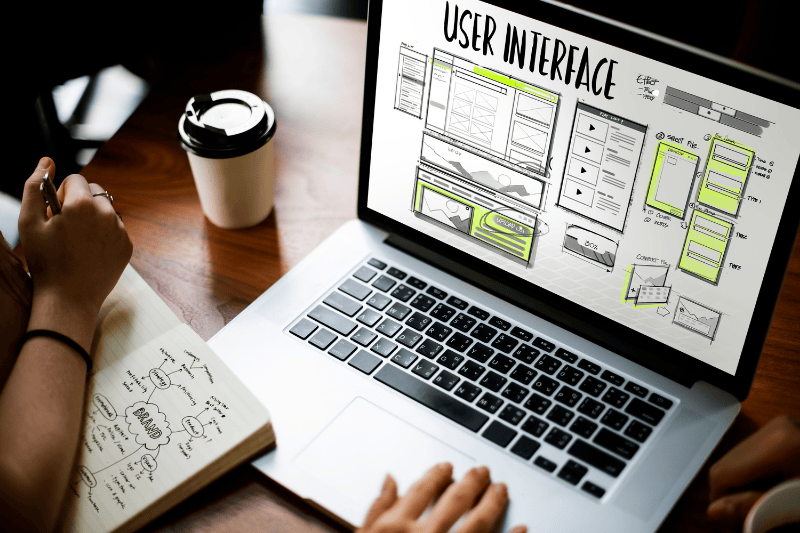
People often see UI and UX as the same thing, although both have different roles that complement each other in the process of digital design. They work together to create a wholesome user experience, from the visual look to how users feel when interacting with the product.
UI (User Interface) focuses on the visual look and the elements on the screen, such as buttons, colors, icons, and layout. It is to create an attractive look and ease users’ interaction with the system.
Meanwhile, the UX (User Experience) focuses on users’ overall comfort and satisfaction. UX considers how users navigate, whether they reach their goal easily, and how they feel when using the product.
As a simple analogy, imagine you use an application as if you were driving a car. UX gives you the sensation of driving a car—how smooth, comfortable, and responsive you experience it. Meanwhile, UI serves the dashboard’s look, interior color choice, and the button position that users see and use.
A good UI design will support UX to make users’ experience feel easier, more efficient, and more enjoyable. A digital product that is both beautiful and functional is the result of a balance between the two.
Why is UI Design Important?
UI design is not only visual decoration but also the first door that determines users’ impression of a digital product. An attractive look, neatness, and ease of use can make the users feel comfortable from the first time they use the product. It also increases trust in the product quality. When an application or website looks professional, users tend to be more assured of its credibility.
Besides creating a positive impression, UI design also plays an important role in users’ comfort. A consistent look and easy navigation help users find what they are looking for without feeling confused. Therefore, it makes their experience more enjoyable and efficient. From the branding perspective, interface design has a role in creating a strong visual identity through color, typography, and distinct visual style, which makes the product’s character easily recognizable.
Furthermore, a good visual design can increase user retention because of a satisfying interface and experience. This factor encourages users to return and recommend the product to others. On the other hand, a poor UI design can give a negative impression and make users leave the application even before trying the main feature. Because of that, a good investment in interface design is not only about aesthetics but also about how to build an experience that makes users come back.
The Main Elements in UI Design

In UI design, every visual element has an important role in creating an attractive and user-friendly look. To understand how these elements work in harmony, here are some of the main components to consider in interface design:
- Layout
Layout determines how the elements are placed on the screen. A structured layout helps users understand the information flow faster and avoid confusion.
- Colors
Colors serve more than just an aesthetic purpose. Colors can highlight important elements, create atmosphere, and help users focus on a specific action.
- Typography
Typography ensures text is easy to read while establishing a clear visual hierarchy. Choosing the right font will make a design feel professional and consistent.
- Icons and Images
Icons and images strengthen the visual message and help users to communicate faster without a lot of text.
- Empty Space
Empty space provides balance and visual comfort, making a design feel neat and clean.
When all these elements work well together, the result is an interface that is both aesthetic and functional. This is the essence of an effective UI design.
Popular Tools for UI Design
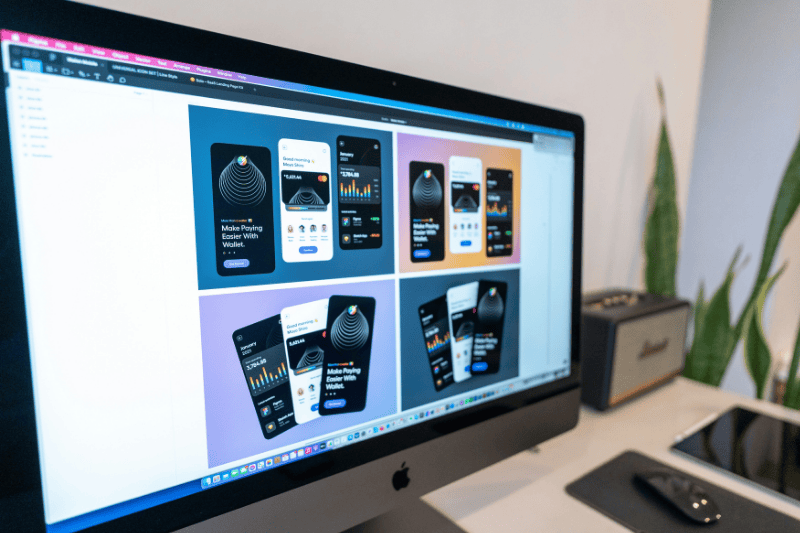
In the UI design world, the right use of tools is important to help the designer work more efficiently, resulting in a professional interface. Each tool has its own advantages and characteristics, depending on the project’s needs and the designer’s preferences. Here are some popular UI design tools widely used by professionals:
Figma becomes the first choice for many designers because it’s a web-based application, easy to use, and supports real-time team collaboration.
Adobe XD offers strong integration with other software in the Adobe ecosystem, such as Photoshop and Illustrator, making it suitable for designers who are familiar with Adobe products.
Sketch is popular among Mac users because of its lightweight interface and support for numerous plugins that ease the design process.
Designers often use Framer and ProtoPie to create an interactive prototype with realistic animations, helping designers test the user experience before product launch.
Conclusion
Learning UI design is not only about mastering the software or following the visual trend. It is more than that. UI design is about understanding humans’ interaction with technology, making users’ experience feel natural and enjoyable.
To begin the journey as a UI designer, learn the basic principles, like consistency, hierarchy, and balance. Also, observe the appearance of popular apps and websites to understand why they feel good to use.
Start simple, like redesigning a homepage or a to-do-list application. From there, you will learn how each visual element plays a role in guiding users’ interaction.
Most importantly, design with empathy. The best UI design makes users feel like everything works smoothly without thinking hard. Explore more design inspiration on the nextdin.com blog.